
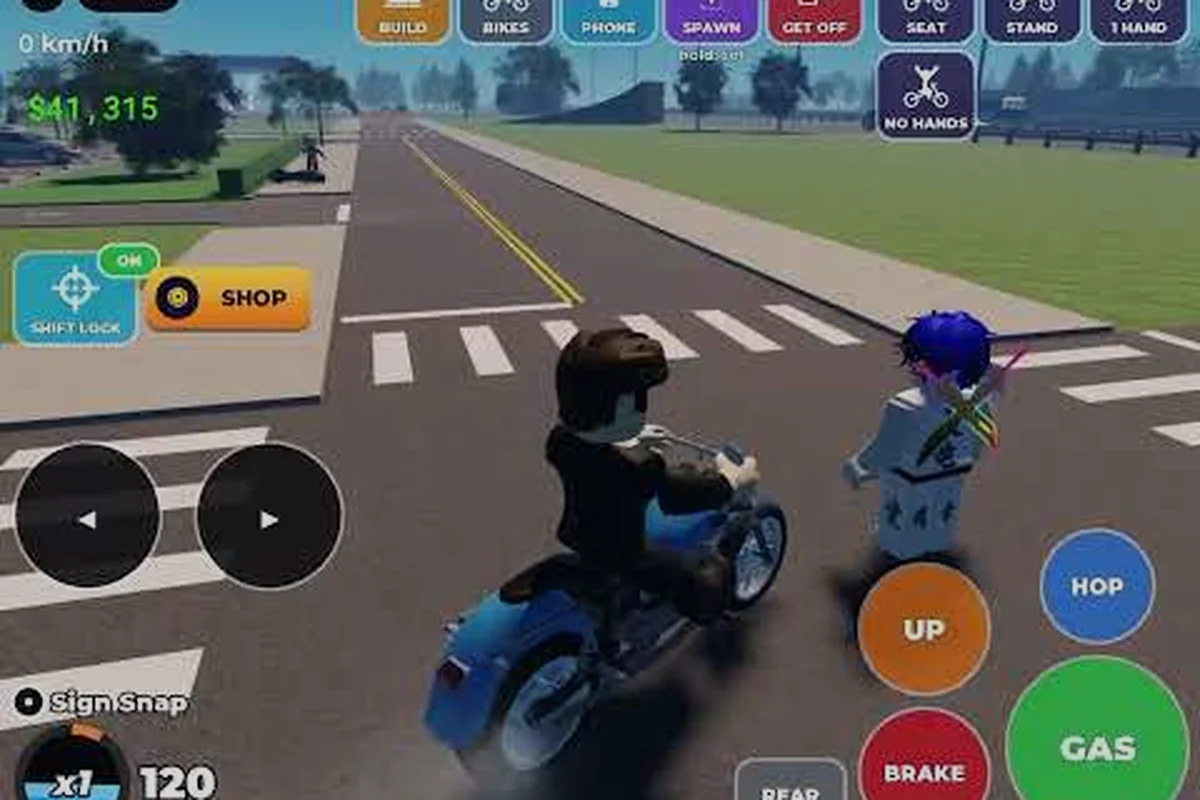
Bike Universe community tips can turn a solo ride into a coordinated crew session, especially when a dependable bike universe meeting spot gives everyone the same reference point. Test bike universe voice chat before departure, confirm each rider can hear updates, and agree on a fallback if the signal drops. Use bike universe code sharing to send the meeting location, route, and emergency contact rather than posting personal details publicly. Before setting off, ask the group to repeat the destination and check that the bike universe social features show the intended session, reducing late arrivals and confusion.
Finding a reliable Bike Universe meeting spot
A useful meeting spot needs to be easy to identify, large enough for a group, and positioned near enough activity that the group does not spend its entire session waiting. The official Bike Universe on Roblox page supports Desktop, Console, Mobile, and Tablet, so riders may approach the same location from very different devices. That makes a visible landmark more dependable than a precise pin that appears slightly misplaced on another platform.
The best Bike Universe meeting spot depends on whether the group wants to ride, perform tricks, compare builds, or simply remain together. Community observations are useful, but they should be treated as current player experience rather than a permanent map rule because the open world and its landmarks can change with updates.
Comparing common rendezvous choices
| Meeting choice | Best use | Advantages | Possible drawback |
|---|---|---|---|
| Central, recognizable landmark | Starting a group ride | Easy to explain and visually confirm | May be crowded |
| Low-traffic roadside area | Testing builds quietly | More room to line up bikes | Some riders may miss it |
| Popular trick location | Showing off or practicing | Shared activity creates conversation | Movement can split the group |
| Private-server meeting area | Coordinating a fixed-size crew | Controlled player list and timing | Not available to every public group |
Choose a landmark before the group starts moving. Riders should agree on a visible object, the direction of travel, and a short wait time, because a precise coordinate is less important than a shared visual reference. If someone arrives late, the group can return to the same landmark rather than searching across the map.
A three-step meeting plan
-
Announce the rendezvous: Name the landmark, nearby landmark or path, and the intended direction of the ride. Keep the instruction short enough to repeat without confusion.
-
Set a time window: Ask everyone to arrive within a defined period. Riders who cannot enter immediately can report their status and estimated arrival time.
-
Confirm visually: Use the in-game chat, a visible movement cue, or a recognizable bike position before the group starts. A short countdown reduces accidental early departures.
If the goal is learning rather than riding together, the Bike Universe beginner guide can help new riders identify suitable bikes, conserve cash, and set progression goals before joining a community meetup. For example, a rider can compare a beginner-friendly bike with a higher-speed model, calculate how much cash remains after the purchase, and decide whether to upgrade immediately or save for better equipment. This preparation makes a community meetup more productive because questions about bike choice, cash management, and progression can be discussed with the group instead of slowing down the ride.
Setting up Bike Universe voice chat without friction
Bike universe voice chat works best when the setup is tested before the group becomes hard to organize. Voice can support quick route decisions, trick cues, and reactions that are difficult to express in text. It can also create unnecessary noise or expose personal information, so every rider should choose a comfortable setup rather than feeling obligated to use a microphone.
The game’s supported-device list includes desktop, console, mobile, and tablet, but headset behavior can differ by platform. Mobile players may have the fewest practical controls, while desktop riders usually have the most adjustable microphone options. Players should confirm their settings in the same network and server where they expect to ride because local voice availability does not guarantee that every group member can hear them.
Voice setup options by player type
| Player type | Practical setup | Key precaution |
|---|---|---|
| Desktop rider | Enabled game voice plus headset controls | Test input level before joining the crew |
| Console rider | Controller or headset communication settings | Keep party access consistent with the group plan |
| Mobile or tablet rider | Keyboard or touch controls with a compact headset | Preserve battery and avoid playing in crowded chat zones |
| Rider without a microphone | Text chat plus preset callout signals | Agree on simple route and stop commands |
A quiet text fallback is essential. Define short signals for “follow,” “stop,” “wait,” and “regroup” before starting. These work when a microphone fails, connection quality worsens, or one member needs to focus on riding. The goal is smooth coordination, not proving that everyone has the same equipment.
Separate useful calls from repeated commentary
Good voice communication is brief and relevant. Announce a turn, warn the group about an obstacle, or ask for a trick lineup to be repeated only when needed. Continuous play-by-play makes it harder to hear route changes, especially on mobile or when several riders use built-in game audio.
A practical rule is to keep route callouts short, place technical questions in text chat, and use voice for live timing. This arrangement supports fast reaction without flooding the group chat or reducing the usefulness of Bike universe social features.
Using Bike Universe social features for better groups
Social tools are most useful when a group has a clear purpose. Riders gathering to collect every bike, test a new Dirt setup, or share a stunt route will communicate differently from a large free-form hangout. Defining the activity before inviting people prevents a successful gathering from becoming an unstructured crowd.
The Bike Universe Roblox group is the developer’s main channel for announcements and community activity. Its size makes it useful for broad updates, although a smaller crew can still organize more effectively with a consistent leader, a clear start time, and one shared communication plan.
Matching a group format to the activity
| Group format | Suitable activity | Recommended arrangement | Main benefit |
|---|---|---|---|
| Two-person ride | Build testing or route practice | Each person keeps one bike setup | Easy communication and quick troubleshooting |
| Small training group | Wheelie and trick practice | One rider demonstrates while others observe | Consistent feedback without crowding |
| Collectible hunt | Finding different bike types | Shared landmarks and a flexible pace | Progress remains visible to everyone |
| Showcase session | Comparing custom bikes | Scheduled display order and photo positions | Fair viewing time for each rider |
| Open community ride | Social riding | Short route with optional subgroups | Works for riders with different goals |
Bike universe social features are most effective when everyone understands the session’s rules. A showcase group may need a shared viewing area, while a practice group needs room and fewer interruptions. These differences explain why “everyone join the center” is rarely the best meeting instruction.
Build a simple group checklist
-
Name the session and expected duration.
-
Choose a meeting location with a visible reference point.
-
Decide whether voice, text, or both will be used.
-
Select a leader who can keep the activity moving.
-
Set a clear signal for regrouping after a fall or route change.
-
End with a stable plan for the next session.
The same planning helps when a new rider needs Bike universe community help. A precise answer should identify the bike family, whether the problem happens consistently, and what the rider already tried. Details are more useful than a general request for advice, especially because Dirt, Electric, and Pedal bikes can behave differently.
Sharing Bike Universe codes without mistakes
Code sharing is most valuable when a rider explains what a code is expected to do and whether it was verified. Community reports can quickly become outdated, and reposted lists may contain expired or incomplete entries. Treat code sharing as time-sensitive community information rather than a permanent list of guaranteed rewards.
A compact report can prevent most problems. Include the exact code with no added spaces, the date you tested it, the server or platform if relevant, and the result you observed. If the code does not work, note that the developer has not publicly confirmed a reason instead of guessing.
A reliable code report format
| Report field | Why it matters | Example of clear wording |
|---|---|---|
| Exact code | Prevents typographical errors | Preserve capitalization and digits |
| Test date | Shows how current the result is | State the calendar date plainly |
| Platform | Accounts for device-specific results | Note Desktop, Console, Mobile, or Tablet |
| Observed result | Separates evidence from rumor | State what appeared on screen |
| Confirmation status | Distinguishes official data from player reports | Mark official or community-tested |
Bike universe code sharing works best when creators avoid exaggerated claims. A code that briefly worked for one rider is a community report, not proof that every account can redeem it. The same caution applies to browser links, unusual download requests, and messages that demand personal information. Players should use only the game’s standard interface for redemption.
For broader earning advice, the Bike Universe money locations guide can help players decide whether they should spend time collecting cash rather than waiting for a potentially limited code window. Comparing the value per route, travel time, and redemption effort makes the trade-off clearer: a short cash run may be worthwhile while a code is being tested, but confirmed money locations offer a repeatable alternative when a redemption window closes or fails.
Handling community help and group problems
Community assistance works best when a request contains enough evidence for another person to reproduce the problem. Specify the bike family, describe the control or action involved, and state whether the issue happens every time. Screenshots can clarify menus and visual errors, but they should never include personal account information.
Different problems require different kinds of answers. A control issue may need a platform-specific setting, while a missing reward may require a new session or verification that the code is still active. Riders should compare official channels first, then community experiences, and finally make changes one at a time so the cause becomes clear.
Troubleshooting by problem type
| Problem | Information to include | Best next step | Avoid |
|---|---|---|---|
| Voice cannot be heard | Platform, device, and whether others hear the rider | Check voice permission and test input level | Changing several settings at once |
| Group members cannot find one another | Server, landmark, and direction of travel | Use a visible reference and regroup signal | Sending only a tiny map coordinate |
| Code does not appear valid | Exact code and test date | Compare with a recent community report | Reposting it as confirmed |
| Bike behaves inconsistently | Bike family, action, and frequency | Record the exact sequence that causes it | Assuming one fix applies to every family |
| Rider wants a group | Activity, schedule, and skill level | Post clear expectations in the relevant channel | Inviting people without a purpose |
A good Bike universe community help response begins with the relevant detail, not a guess. For example, if the issue is a missing reward, confirm the redemption method and account state before discussing alternative codes. If it concerns riding control, describe the input and platform. This approach saves time and prevents a small misunderstanding from spreading into repeated advice.
Creating consistent community meetups
Consistency makes it easier for riders to find a Bike Universe meeting spot without long explanations. Reusing the same start location, time, and activity format gives regulars a dependable structure. It also makes the session accessible to newcomers, who can learn where to go by observing one established announcement instead of decoding a different route every week.
The official game page reported 13.1 million or more visits, about 48,900 active players, and more than 38,000 favorites on a late-September 2026 snapshot. These figures are evidence of a busy community, although they should not be treated as a live player count because popularity changes continuously. The ItzVexo Bike Universe guide also shows community interest in codes, cash progression, and general tips, making it a useful companion for the practical details that fit around a social ride.
A reusable meetup announcement
A short template reduces confusion without making communication rigid. It can identify the session type, meeting point, time window, activity, and preferred communication method. Avoid including a private server code unless the intended recipients need it and the creator is comfortable with it being forwarded.
| Announcement element | Clear example | Why it works |
|---|---|---|
| Session type | Sunset stunt practice | Sets expectations immediately |
| Meeting location | Large red building beside the main path | Gives a visible landmark |
| Time | Start within 10 minutes of 6 p.m. server time | Creates a reasonable window |
| Activity | Three wheelie attempts per rider | Makes participation easy to understand |
| Communication | Voice for quick calls, text for results | Provides a fallback plan |
| Group limit | Twelve riders maximum | Reduces crowding |
Run the session for a limited time, then announce whether the group is continuing or wrapping up. When the crew changes bikes or locations, repeat the same three-part routine: name the change, identify the new reference, and confirm that everyone is ready. This simple cadence supports larger sessions without requiring extensive moderation.
Frequently Asked Questions
Where is the easiest Bike Universe meeting spot to explain?
Choose a large, unmistakable landmark rather than a small road feature or precise coordinate. A red building, plaza, or other visible structure is easier to confirm across Desktop, Console, Mobile, and Tablet. Give the landmark, the direction of travel, and a short arrival window so riders can regroup without wandering through the map.
Should I use voice chat for every Bike Universe community meetup?
Voice chat is helpful for live route decisions, trick timing, and quick safety warnings, but it should not be mandatory. Text chat and simple follow, stop, wait, and regroup signals provide a practical fallback for players without microphones, riders on mobile, and anyone who prefers quieter communication.
What is the safest way to share a code with another player?
Share the code exactly as written, include the date you tested it, and label the result as official or community-reported. Never share passwords, personal details, or links that bypass the normal game interface. Because code availability can change, players should confirm current behavior through reputable community channels.
What details should I include when asking for community help?
State your platform, the bike family involved, the exact action that triggers the problem, and what you already tried. Add a screenshot only when it shows the relevant interface and contains no personal information. Clear evidence helps other players distinguish a platform setting issue from a repeatable game mechanic.