
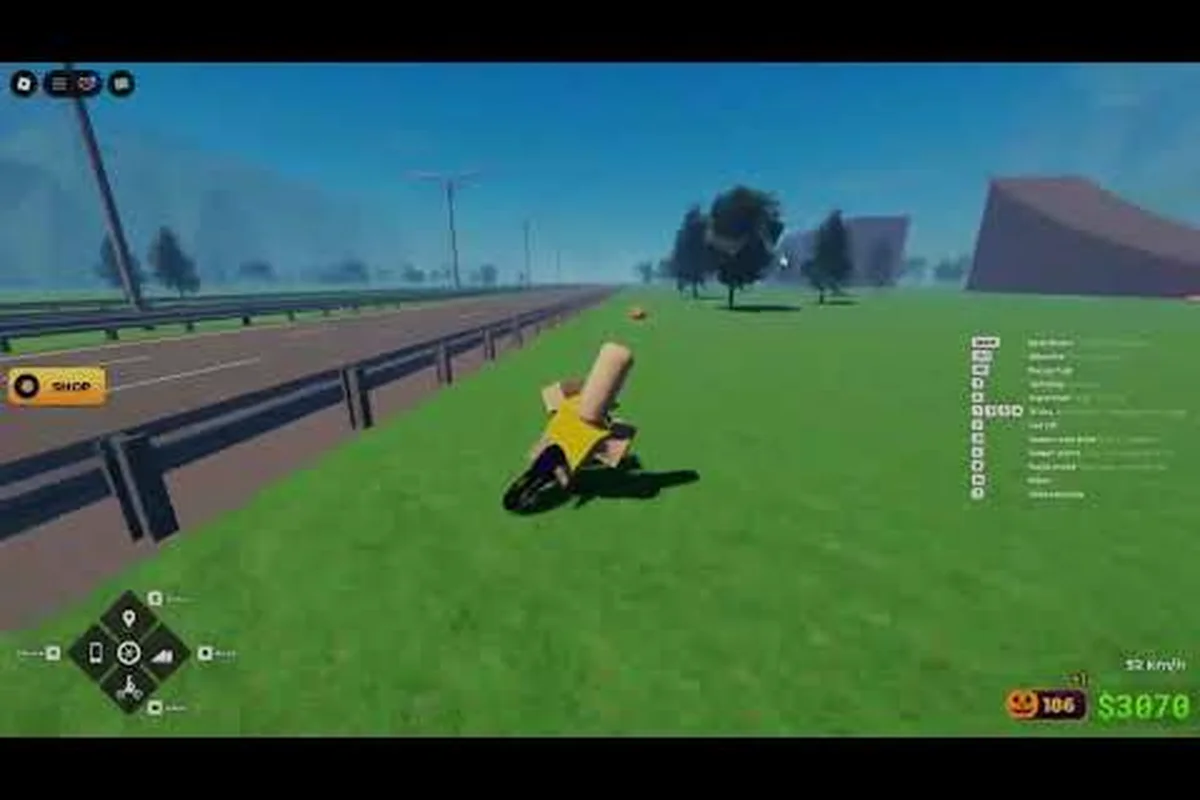
Bike Universe content creators form one of the most active corners of this Roblox vehicle-simulation community, where riders cruise open-world maps, collect bikes across three families (Dirt, Electric, Pedal), and grind cash for new builds. With the official Roblox game page reporting 13.1M+ visits, 48.9K active players, and 38K+ favorites on a late-September 2026 snapshot, the audience hungry for clips, guides, and showcase videos is larger than ever. This article breaks down how to record clean gameplay, which recording setup actually works, and how the official Bike Universe group on Roblox connects to creator ranks and merch drops.
Recording Setup for Bike Universe Content Creators
Starting a Bike Universe content creator channel is less about expensive gear and more about capturing clean Roblox footage with stable frame rates. The recording pipeline most small creators use today includes a capture layer, a microphone, and a light editor for trimming dead air and watermark cleanup. The following table maps the three main recording methods against the typical Bike Universe creator workflow.
| Recording Method | Platform Compatibility | Setup Cost (USD) | Best For | Main Limitation |
|---|---|---|---|---|
| OBS Studio (PC) | Desktop, Windows/Mac/Linux | $0 (free) | High-bitrate 1080p/1440p recordings | Demands a mid-tier GPU for 60 FPS |
| Roblox In-Game Recorder | Mobile, Console, Desktop, Tablet | $0 (built-in) | Quick 30-second clips for socials | Fixed resolution, no overlays |
| External Capture Card | Console streamers | $60-$150 | Console-only creators capturing HDMI | Extra hardware overhead |
Most Bike Universe content creators on YouTube start with OBS Studio because it is free, supports custom bitrates, and lets the creator overlay channel art, subscriber goals, and donation tickers on top of the Roblox client. For mobile and tablet creators, the in-game recorder is the cleanest path because it bypasses the platform-level permission pop-ups that OBS sometimes triggers on phones.
When configuring OBS for the game, the two most important settings are output bitrate (4500-6000 kbps for 1080p) and encoder (NVENC for Nvidia, AMF for AMD, or x264 if the CPU has headroom). Pushing the bitrate higher without raising the in-game resolution does nothing for clarity, while dropping it below 3500 kbps introduces visible macro-blocking in the dirt-trail sections where the camera pans quickly. New creators should run a 60-second test clip, scrub through it, and confirm the wheelie animations stay sharp before committing to a recording session.
Audio and Microphone Choices
Roblox sound design in this title is light on music but heavy on engine roar and wind, so a basic condenser USB microphone in the $40-$80 range is enough to keep voiceover crisp without bleeding the in-game audio into the commentary track. Creators who focus on showcase content — for example, ranking new bike skins — usually lower the in-game audio in OBS by -8 to -12 dB so the narration sits on top, while trick-tips videos keep both layers at near-equal volume to preserve the satisfying wheelie-thump feedback.
File Management and Editing Pipeline
A 30-minute Bike Universe session at 1080p60 produces a file around 12-18 GB, so creators should plan storage with at least 1 TB of free SSD space before starting a recording sprint. The edit pass usually trims a 30-minute run down to a 10-14 minute upload, and most small channels rely on free editors like DaVinci Resolve or CapCut Desktop before upgrading to Premiere Pro or Final Cut once revenue justifies the subscription.
Why Creators Should Join the Developer Group
Every Bike Universe content creator benefits from joining the official Roblox group (ID 1023905242), which is the developer-run hub for announcements, drops, and fan events. The group is owned by FJJWolfie3 and had 64,969 members on the October 2026 snapshot, making it the single largest official channel for the game outside of patch notes. Joining is free and takes about 30 seconds from a logged-in Roblox account.
The table below compares the two main engagement channels available to a Bike Universe content creator — the official Roblox group run by FJJWolfie3 and the secondary developer Discord that larger channels like ItzVexo's community reference for early patch previews and drop-code testing — so you can decide which platform aligns with your recording schedule, upload frequency, and backlink strategy.
| Platform | Member Count (Oct 2026) | Primary Purpose | Best For Creators |
|---|---|---|---|
| Official Roblox Group (ID 1023905242) | 64,969 | Patch notes, event pings, merch restocks | Most creators (announcements) |
| YouTube (ItzVexo, VendoPlus channels) | Varies | Long-form guides, showcase videos | Backlinks and collaboration |
| Reddit r/Roonby community threads | Varies | Money-farming tips, community discussion | Research and source material |
A practical walkthrough of the joining flow is documented in our official Bike Universe group walkthrough, which covers the exact click-path from the game page to the group join button and explains how to enable group announcement notifications so you never miss a merch restock or community event.
Group Ranks, Perks, and What They Mean for Creators
Once a member joins, the official Bike Universe Roblox group exposes a small set of ranks that gate certain perks. The group currently does not carry a verified badge, but ranks still affect what the member can see, claim, and post inside the group wall. The table below summarizes the typical rank ladder that community testing has observed in similar developer-run Roblox groups for vehicle-simulation titles.
| Rank | Typical Unlock | Content Creator Benefit | Grind Estimate |
|---|---|---|---|
| Member (default) | Group wall access, announcement pings | Foundational entry, no posting caps | 0 XP — instant on join |
| Regular | Posting rights on the wall | Can post showcase clips directly | A few weeks of activity |
| Known / Veteran | Priority wall visibility, possible beta access | Earlier access to new bikes for first-look videos | Several months |
| Officer | Merch eligibility, private creator channels | Real merch discount codes, early announcements | Invite-only by developer |
Ranks are tied to activity on the group wall, friend connections, and how often the member plays. Creators who post weekly showcase clips tend to climb faster because the group moderator team uses post volume as a soft signal of engagement. Anyone curious about the exact climb speed can compare notes with other creators in the Bike Universe beginner guide, which covers the early-game loop that builds the cash needed to fund both bikes and creator time.
Why Group Rank Matters for a Bike Universe Content Creator
Higher ranks do not just unlock flair — they change what a Bike Universe content creator can film. Veteran-tier members sometimes get early access to new bike drops a few days before the public release, which gives their showcase videos a first-mover advantage in YouTube search. Officer-tier members occasionally receive merch discount codes that can be shared with channel subscribers, turning the rank itself into a viewer-retention tool rather than just a profile badge.
Bike Universe Group Merch and Creator Opportunities
Merch inside the official Bike Universe group is the most common reward higher-tier members chase. The developer team has historically dropped small physical items — stickers, T-shirts, and limited bike-keychain runs — through the group wall, and larger merch waves are usually announced as Roblox events rather than posted on a separate store. The following table breaks down the merch types and how creators typically leverage each one.
| Merch Type | Distribution Channel | Creator Use Case | Approx. Lead Time |
|---|---|---|---|
| Stickers / Decals | Group wall code drops | Subscriber giveaway prizes | Instant on claim |
| T-Shirts (physical) | Limited wave events | Channel merch shelf collabs | 2-4 weeks shipping |
| Bike keychains | Anniversary / milestone drops | First-look unboxing content | 1-3 weeks shipping |
| In-game cosmetics (free) | Group-claim items | Showcase content fuel | Instant on claim |
Creators who want a reliable stream of first-look unboxing footage should monitor the official group wall at least twice a week, because merch drops are usually unannounced beyond a single post. Pairing that with a second cross-check on the official Bike Universe Roblox game page helps confirm whether a drop is real or a community rumor, since the page surfaces active player counts and patch-relevant descriptions that often hint at incoming content.
A small but useful habit is to save the post URL and the drop timestamp; both show up later in the video description and act as verifiable proof of the first-look claim. Creators who skip this step often find their videos copied by reupload channels, and the timestamp is the cleanest way to win a YouTube copyright dispute if it ever escalates.
Pairing Merch With Content Strategy
A merch drop is more useful as a content trigger than as a giveaway. A creator who films the unboxing, the in-game counterpart, and a short performance review of any newly released bike turns one merch claim into a 12-15 minute video plus two short-form clips. That kind of stacking is what separates a hobbyist Bike Universe content creator from a channel that pulls consistent watch-time, and it is also the cleanest way to ride a search-results wave before the larger gaming-media outlets cover the same drop.
Recording Bike Universe Gameplay: Practical Tips and Common Pitfalls
Most recording problems in this Roblox title are not hardware problems — they are settings problems. The first one is resolution mismatch: if the OBS canvas is set to 1920x1080 but the in-game Roblox client is running at 1366x768, the resulting footage shows stretched pixels and a soft look that no upload bitrate can fix. The second is forgetting to enable Hardware-Accelerated GPU Scheduling in Windows settings, which on mid-tier PCs adds 8-12 ms of frame-time variance and shows up as micro-stutter during wheelie animations. The table below maps each common pitfall to a one-line fix.
| Common Pitfall | Symptom in Footage | One-Line Fix |
|---|---|---|
| Resolution mismatch | Stretched, soft picture | Set OBS canvas to match in-game client resolution |
| Bitrate too low | Macroblocking on fast pans | Raise OBS bitrate to 4500-6000 kbps at 1080p |
| Microphone too hot | Clipping in voiceover | Lower mic gain to -6 dB peak, use a noise gate |
| Wrong audio balance | Music drowns narration | Drop in-game audio by -10 dB in OBS audio mixer |
| No scene transitions | Jarring cuts between clips | Add 0.3-0.5 second crossfades in the editor |
Riders who want to capture showcase-quality clips of new Dirt, Electric, or Pedal bikes should also disable the in-game UI before recording. The bike HUD, speedometer, and cash counter all overlay the frame and most editing software requires manual masking to remove cleanly. Hiding the HUD through the Roblox client settings keeps the editor pipeline simple and saves roughly 10 minutes per finished minute of footage.
How to Use Footage From Public Servers
Filming on a public server exposes a creator to random players, voice chat, and the occasional griefer, all of which can derail a planned scene. A cleaner approach is to join a private server with one or two friends, both because the recording stays focused and because the friend can act as a camera operator while the main creator performs the trick. The exact flow for setting up a private server and inviting collaborators is covered in our Bike Universe how to get free bikes walkthrough, which goes deeper on garage use and server management.
Cross-Platform Recording: Mobile, Console, and Tablet
Roblox ships dedicated clients for Desktop, Console, Mobile, and Tablet, but the Bike Universe build runs on the same underlying engine across all of them, which means the recording toolchain has to adapt to very different hardware ceilings rather than the game itself. Each platform has its own capture ceiling: the in-game recorder on mobile and tablet enforces a 30-60 second cap, console native clips often stay stuck at 720p on legacy firmware, and only a desktop OBS pipeline plus a capture card reaches clean 1080p60 or 4K. Treat the table below as a quick reference before you commit to a workflow, because picking the wrong recorder early is the main reason Bike Universe clips end up cropped, laggy, or auto-flagged by the platform's 60-second vertical format requirements.
| Platform | Recommended Recorder | Max Clean Resolution | Best Use Case |
|---|---|---|---|
| Desktop (PC/Mac) | OBS Studio | 1080p60, 1440p60 with high-end GPU | Long-form YouTube uploads |
| Console (Xbox/PS) | Console-native + capture card | 1080p60, 4K on PS5 Pro | Showcase content from couch sessions |
| Mobile (iOS/Android) | Roblox in-game recorder | 720p or 1080p depending on device | Short-form TikTok, Shorts, Reels |
| Tablet (iPad/Android) | Roblox in-game recorder | 1080p on newer iPads | Quick first-look clips |
Mobile creators face a real ceiling because the in-game recorder caps length and resolution, and external screen recorders on iOS sometimes drop frames when Roblox hits peak GPU load. The workaround most short-form creators use is to record 30-45 second trick segments and stitch them together in CapCut rather than trying to capture a full continuous run. That approach also lines up with the 60-second sweet spot for TikTok and YouTube Shorts, so the footage does not need extra trimming before it ships.
Console creators should plan for a capture card like the Elgato HD60 X or a similar $150 unit, because the console-side recording tends to cap at 720p on older firmware and produces HDR color shifts that need post-correction. A capture card fed into OBS on a PC gives the creator the same overlay, scene, and audio controls they would have on a desktop session.
Promoting a Bike Universe Channel and Growing the Audience
Recording is half the job — discoverability is the other half. A Bike Universe content creator who uploads without a thumbnail plan, title keyword plan, and posting schedule usually plateaus around 50-200 views per video, while creators who treat the channel like a small publication tend to break into the four-figure range within six months. The most useful starting framework is a weekly cadence built around one guide video, one showcase video, and one short-form clip.
Search intent is fragmented across several long-tail phrases, so the channel's video library should mirror that spread. Money-farming videos answer the how to make cash fast cluster, bike-showcase videos answer the best X bike for Y terrain cluster, and group-update videos answer the what is the latest drop cluster. Creators who try to fold every cluster into a single mega-video usually lose on watch-time because the audience segment is not the same across the three groups.
Collaboration is another strong lever. Pairing a small showcase creator with a larger money-farming channel for a joint bike-trade video exposes both audiences to the other channel's content, and the Roblox ecosystem has a long history of creators trading bike screenshots in collab posts to push each other's videos. The single most underrated lever, though, is engagement on the official group wall: creators who reply to comments on their own videos and answer questions on the group wall see measurably higher return-viewer rates than creators who post and ghost.
When a Channel Is Ready for Merch or Sponsorship
Most small Roblox-creator channels do not qualify for traditional merchandise until they clear roughly 1,000 subscribers, and the official Bike Universe group merch tiers are typically invite-only rather than purchasable. Until that threshold, a creator's merch shelf can be filled with low-cost stickers, Roblox avatar items, and a custom thumbnail pack for supporters. Pushing a physical store too early usually leaves the creator with unsold inventory and a thin margin, which is why the safer move is to treat official group merch as a community reward rather than a revenue line.
Frequently Asked Questions
What is the easiest way to start as a Bike Universe content creator?
Start with OBS Studio on desktop, set the canvas to match the Roblox client resolution, and run a 60-second test clip to confirm bitrate and audio balance. Then post your first showcase video before overthinking thumbnail design — early iteration beats delayed perfection.
How do I join the official Bike Universe group on Roblox?
Open the group's official Bike Universe Roblox group while logged in and click Join Group, then re-check your notification toggles so the wall pings actually fire on mobile. Membership is free, takes about 30 seconds, and unlocks announcement pings for merch drops and patch notes — the same wall that gates Regular rank progression, so joining early means your wall activity clock starts on day one rather than after your first video lands.
What are the group benefits for a Bike Universe content creator?
Group benefits include announcement pings, access to wall-only merch drops, eligibility for higher ranks that gate beta bike access, and an invite path to creator-only channels. Higher ranks also serve as viewer-retention proof because subscribers can see the creator is an active community member.
How do Bike Universe group ranks work?
Ranks climb based on group wall activity, in-game playtime, and how often the member engages with the developer team's posts. Veteran and Officer ranks are usually invite-only, while Member and Regular ranks follow an activity curve over weeks to months.
Where can creators find Bike Universe merch?
Merch drops are posted on the official group's wall first, then cross-posted to the game page and developer social channels. Watch both feeds and screenshot every drop for your video descriptions.