
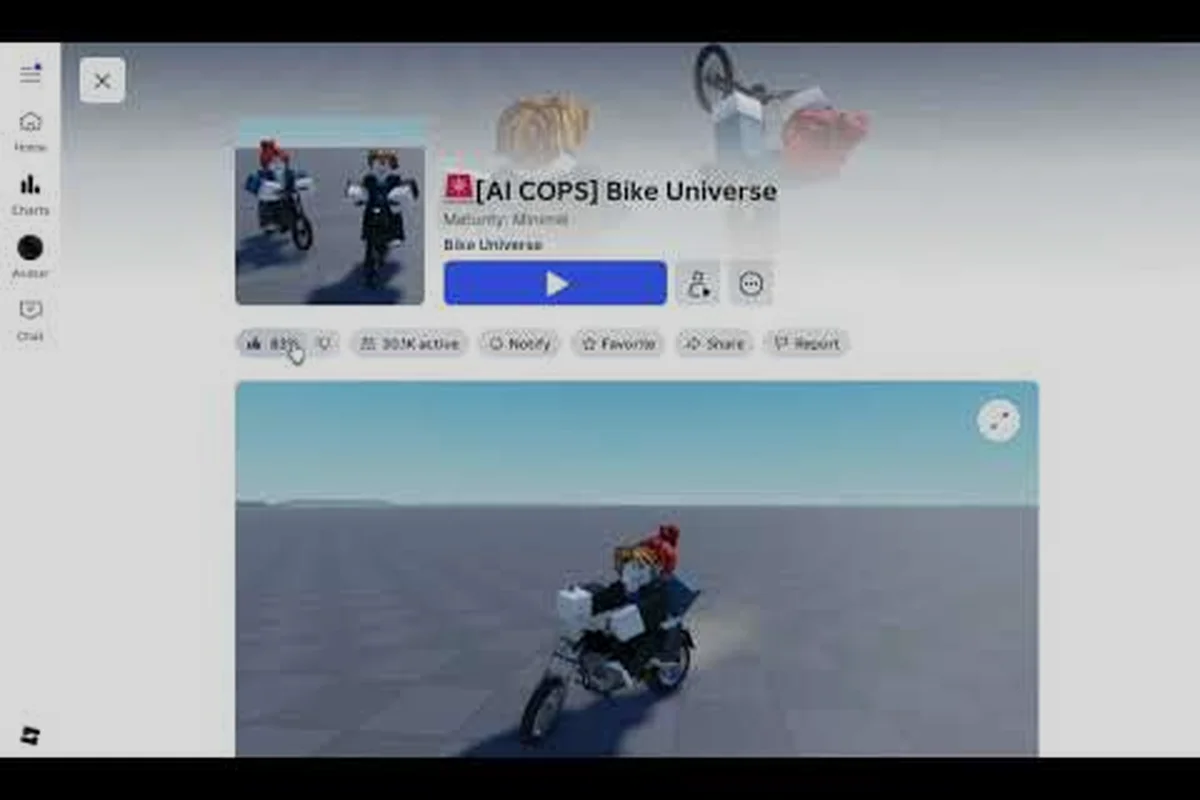
The Bike Universe official group is a central hub for verified announcements, community activity, and coordinating rideouts with friends. Before joining a server, check the group for current notices, compare the available server list, and confirm that your friends are entering the same Bike Universe server; this reduces the risk of being separated while learning the rideout process.
What the Bike Universe Official Group Offers
The Bike Universe official group is the developer’s main confirmed community hub on Roblox. Its group ID is 1023905242, and a late-October 2026 snapshot showed approximately 64,969 members. The official Bike Universe group page is therefore the best starting point for announcements, event information, and community posts related to the game.
This matters because unofficial accounts can imitate the developer and spread inaccurate links or instructions. A group with no verified badge is not automatically illegitimate, but it should still be checked carefully. Confirm that the URL ends in the group ID above, inspect the owner name, and compare any linked destination with the official Bike Universe game page.
| Feature | Official group | Random social page | Community guide |
|---|---|---|---|
| Developer announcements | Primary confirmed hub | May be copied | Rarely authoritative |
| Group ID | 1023905242 | Often absent | Usually not relevant |
| Rideout coordination | Community activity possible | Depends on the creator | Experience-based advice |
| Friend recruitment | Easier to verify context | Higher spam risk | Limited to the article |
| Outside links | Check every destination | Treat cautiously | Follow only when verified |
What You Can Expect
Official posts can cover game updates, events, changes to bikes, and other announcements. Community members may also organize casual rides, races, and bike collections in the group. The platform snapshot for the game showed about 13.1 million visits, 48.9 thousand active players, and 38 thousand favorites, indicating a large community; however, member totals and visit counts can change after the snapshot.
The official Bike Universe game page identifies the experience as an open-world vehicle simulation where riders collect Dirt, Electric, and Pedal bike families, earn cash, perform tricks, customize bikes, and race. These mechanics make the group useful even beyond announcements because other players may share routes, tuning choices, and event plans.
Join the Group Safely
Use the direct group link, select Join, and confirm that Roblox displays the expected group name and member count. You do not need a special code or third-party application. If the page asks you to leave Roblox, run an external installer, or provide account credentials, close it and return through the verified Roblox URL.
Before entering a Bike Universe server, check the group’s linked Roblox experience and confirm that its title, thumbnail, and group ID match the official listing, 1023905242. A mismatch may indicate a lookalike group, so stop there and locate the listing from the game itself. After verifying the Bike Universe official group, use its server list to compare available servers, then join the session where your friends are already riding rather than relying on an advertisement or a random invite link.
-
Open the group from Roblox rather than an advertisement.
-
Compare the group ID with 1023905242 before joining.
-
Treat event posts as community plans unless the developer explicitly confirms them.
-
Do not complete surveys that request your Roblox password or parent’s payment information.
-
Leave the group if individual posts become repetitive, unrelated, or overly aggressive.
Joining a Rideout in Bike Universe
Learning Bike Universe how to join rideout activity starts with separating the Roblox social layer from the in-game activity. The group may advertise a ride or provide a meeting point, but the ride itself normally happens inside a Roblox server. That means you usually need to join the correct server, connect with the organizer, and enter the meeting area together.
No single verified developer method is documented for every possible rideout format, so treat community instructions as provisional. A dependable flow is to confirm the host, match the server, send a friend request if needed, and then meet at a clearly named landmark.
| Rideout stage | What to do | Reason it matters |
|---|---|---|
| Confirm the host | Check the username and recent post | Avoid joining an impersonator |
| Identify the destination | Ask for a map landmark | Coordinates may not exist |
| Compare the server | Match the host’s server when possible | Keeps the group together |
| Add the host as a friend | Send a Roblox friend request | Supports communication |
| Set a start time | Use the host’s stated time zone | Prevents missed meetups |
| Join and wait | Enter the server, then look for the group | Handles last-minute delays |
A Reliable Rideout Routine
First, open the organizer’s Roblox profile and send a friend request. In the request, identify the game and mention the rideout, because a generic request can be overlooked. If the host accepts, both players can join one another directly from the friends list before the event begins.
Next, compare the host’s server with your available servers. The game’s server browser supports server selection, but the most useful choice depends on the group. Server identity matters when a rideout has a fixed start; low latency and a stable population matter when riders can meet anywhere. These goals can conflict, so ask the host which priority matters for that ride.
Finally, enter the game, collect your bike, and move toward the stated meeting point. Riders often spend early cash or unlocks before organizing a group event, so reviewing the Bike Universe beginner and garage guide can help you arrive with a usable bike and understand the basic progression loop.
Handling a Full or Changed Server
If the chosen server is full, do not immediately create a confusing second group. Tell the organizer and move into another available server, then reconfirm the new location. If the group expects a specific server, the host may need to start a fresh one so everyone can join before capacity fills.
Servers can also change during a ride. When that happens, agree on a recognizable meeting point instead of assuming everyone remained in the same instance. A bridge, central plaza, race start, or named shop can work better than an unexplained map coordinate, especially for newer players who have not yet learned the full map.
Adding Friends and Riding Together
Playing Bike Universe with friends is easier when Roblox accounts are linked before the session. A friend can join your server, travel with you, race against you, and participate in the same rideout. The friend feature also makes it easier to recover when someone enters a different server or needs help finding the meeting point.
Send the Right Friend Request
Open the player’s Roblox profile, select Connect, and check the account before confirming. Use a request message that identifies you and explains why you are adding them. A direct message such as “I’m joining the group ride at the bridge tonight” gives the other player useful context without revealing personal information.
| Friendship method | Best use | Limitation |
|---|---|---|
| Roblox friend request | Joining servers and coordinating | Both players must accept |
| Group-hosted meetup | Meeting new riders | Host must confirm the plan |
| Server message | Temporary coordination | May be missed during play |
| External account | Longer-term community contact | Treat unverified links cautiously |
If someone asks you to add them through a direct message, check that the profile is the same one listed in the official group post. Profile matching is the simplest defense against impersonation: compare the display name, username, join date, and friend count rather than trusting the message text alone.
Add a Friend on Mobile or Console
On mobile and console interfaces, the exact button labels may differ slightly, but the sequence is the same: use the game’s Friends or Players menu to locate the relevant server entry, open the rider’s profile, and choose Connect or Add Friend from the visible controls. This matters because Bike Universe friend requests are tied to the player profile and server context, so adding someone directly from a chat label may not expose the correct request option. After the other player accepts, reconnect through the Friends list so you can enter their server and ride together.
-
Open a player’s profile from the server or friends list.
-
Select the Connect or Add Friend control.
-
Confirm the request and optional message.
-
Wait for the other player to accept.
-
Open Friends and select the player when ready to join their server.
If the control is missing, first open the player’s profile rather than trying to add them from a text label in chat. Interface updates can change button positions, so use the profile’s visible menu and avoid downloading a separate “friend adder” tool.
A useful next step is the Bike Universe guide to playing with friends, which explains the broader setup for entering the game and managing bikes with another player. For example, after connecting to a friend’s server, you can check the server’s bike availability and bike-management options before your ride, helping avoid unnecessary server hopping while you prepare to join the same Bike Universe rideout.
Choosing a Server and Joining the Right One
Roblox makes it easy to enter a populated server, but choosing well matters when you are coordinating a rideout. The practical Bike Universe server list includes basic details such as player count, server size, and connection quality, while the group’s own posts may identify a particular world, race, or meetup time.
| Server choice | Best for | What to check |
|---|---|---|
| Host-selected server | Structured rideouts | Host, start time, meeting point |
| Lowest ping | Responsive controls | Connection quality |
| Moderate population | Easier meetups | Whether enough riders are active |
| Private or host-started server | Planned event | Invite or join method |
| New server | Fresh start with friends | Everyone has the same identifier |
Compare the Server List
Open the game’s Servers tab, then review available instances before joining. For Bike Universe join server decisions, prioritize a stable connection when the route includes tricks or wheelies. Large crowds can make navigation more difficult, and a full server may block late arrivals even when the ride itself is still active.
The official game page supports Desktop, Console, Mobile, and Tablet, but controls and interface options can differ. On smaller screens, give yourself extra time to navigate menus and verify the selected server. A clear connection is more useful than a theoretically better option that causes missed turns or delayed jump inputs.
Coordinate Before the Server Fills
Ask the host to begin the ride only after the key riders confirm. If your friends are scattered across several instances, have them send the exact server number or a screenshot of it. The number must match because two servers with similar player counts are still separate sessions.
If the group cannot fit into one server, split the activity into smaller groups and assign clear leaders. A useful fallback is a timed race or repeated laps around the same route, which lets riders regroup without depending on perfect map knowledge. Riders interested in competition can compare the Bike Universe racing guide for track ideas and race setup.
Verifying Announcements and Community Information
The Bike Universe Roblox group is the best confirmed source for developer communication, but joining it does not make every community post official. Learn to separate announcements from fan information, and the group becomes much more useful. Verification reduces the chance of following a fake event, wasting cash on an unconfirmed item, or downloading an unsafe link.
Official Versus Community Posts
Official material is generally connected to the group owner, FJJWolfie3, or clearly presented by the game’s development team. Community posts can still be excellent, especially when experienced players share a route or rideout plan, but they should be described as community plans or player reports.
| Clue | Stronger official signal | Community signal |
|---|---|---|
| Account | Listed group owner or team account | Ordinary player account |
| Content | Update, patch, event, maintenance notice | Route, tip, invitation |
| Link | Leads to a verified Roblox destination | Leads elsewhere without confirmation |
| Timing | Matches a game announcement | Depends on the organizer |
| Specificity | Includes official release details | Often based on personal experience |
Use source hierarchy rather than popularity. The official group and game page lead, followed by developer messages, then player reports and community data. A popular Reddit post may be useful for discovering player strategies, but it does not override an official update about bikes, cash, events, or servers.
Avoid Fake Event Pages
A genuine group post may link to a Roblox game, event, or server. An imitation may send you to a look-alike page, shortened URL, private chat request, or file download. Before opening any destination, compare its domain and full URL with known official pages. Do not enter credentials, install a browser extension, complete a “verification” purchase, or connect a wallet because a group member asks.
Player-created content can be unreliable in another way: a listed bike, cash amount, or shortcut may be outdated. Community sources such as Reddit and YouTube are useful for finding ideas, but mark their details as unconfirmed unless the developer has confirmed them. A community guide may mention about 15 collectible bikes, for example, but that is only a community estimate until an official source confirms the count.
A Practical Group Setup Checklist
Before attending a rideout, prepare both your Roblox account and your in-game character. The goal is to eliminate avoidable delays: accepted friend requests, confirmed server details, an available bike, and a shared understanding of where the group will meet. This routine works for small meetups and larger community events alike.
Before the Rideout
Before joining a rideout, use the official Bike Universe group to check recent posts for the rideout’s date, start time, and required bike. This gives you time to review the group rules, select a suitable server, and coordinate with friends instead of joining a full server after the group has already moved on. For example, if a post announces a 7:00 p.m. rideout, verify the time zone and arrive several minutes early so the group can form one convoy.
-
Join the official group and enable notifications for relevant posts.
-
Confirm the organizer’s Roblox username from the group page.
-
Send a friend request with the rideout name and time.
-
Check whether the post specifies a server, event, or meeting landmark.
-
Open the server browser and compare population and connection quality.
-
Load your preferred bike before the meeting time.
-
Save the meeting location somewhere easy to find.
During the Rideout
Rejoin the same server if connection issues occur, and tell the host before switching instances. If the group is using a fixed start point, approach it only after the organizer gives the signal. Otherwise, new riders can get separated while the host searches for missing players.
If another user becomes disruptive, use Roblox’s reporting and blocking controls. The group’s large membership does not make every participant trustworthy, and you never have to accept a friend request or private trade to remain part of a rideout. Keeping boundaries clear helps the group stay focused on riding.
After the Event
Use the official group to share a useful result, such as the route, race format, or bike family that worked well for the group. Label personal findings as feedback rather than official rules. If a developer clarification appears afterward, use that update as the final word.
Community rideouts are strongest when they follow three principles: verified identity, clear communication, and a fair meeting point. Those habits scale from two friends to a larger gathering and preserve the useful social side of Bike Universe without encouraging spam or unsafe behavior.
Frequently Asked Questions
Where is the Bike Universe official group on Roblox?
The Bike Universe official group is at Roblox group ID 1023905242, with the verified page titled “Bike Universe | Roblox group.” Join through the direct Roblox link and confirm the ID, group name, and owner before trusting event posts or other links.
How do I join a rideout in Bike Universe?
A rideout usually starts with a group or community post, followed by a confirmed meeting time and location. Add the organizer as a Roblox friend, join the same server, and meet at a named landmark. If no server is specified, ask the host which instance and time zone they intend to use.
Can I play Bike Universe with friends on mobile?
Yes, because the official game page lists Mobile and Tablet support along with Desktop and Console. Open each friend’s profile, use the Connect or Add Friend option, and accept the request. The exact button layout may differ by device, but the profile-based process remains the same.
Should I use the Bike Universe server list for a group rideout?
Use the server list when the rideout has a fixed start or the host names a particular server. Prioritize the same instance, stable ping, and sufficient space. If that server becomes full, tell the organizer and reconfirm a new instance instead of meeting at a location no one else can reach.
Is every post in the official Roblox group developer-approved?
No. The group is the developer’s main confirmed community hub, but ordinary members can also post. Official announcements, updates, and confirmed events are distinguishable from player-created rideouts. Treat community advice as unconfirmed unless the developer or official game page states the same information.