
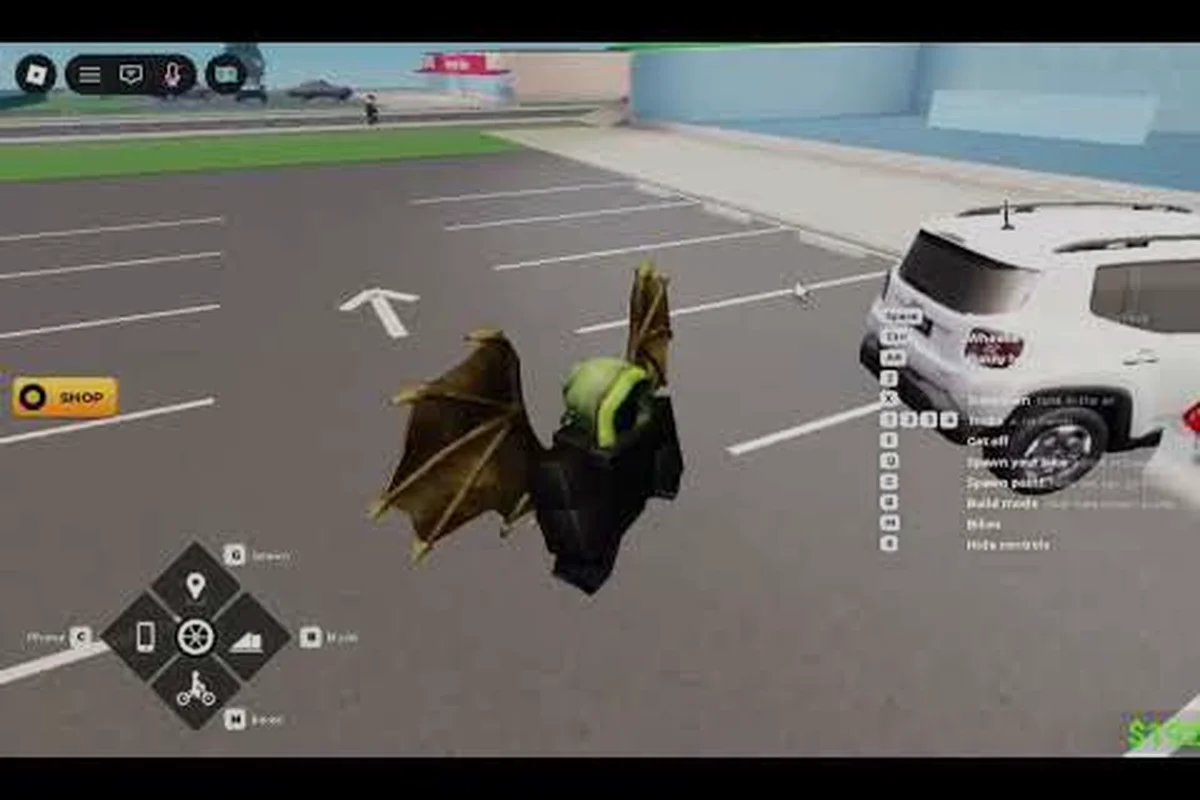
Walking into the garage in Bike Universe for the first time can feel overwhelming, because every bike family — Dirt, Electric, and Pedal — opens up a wall of color sliders, wheel designs, tire treads, and engine swaps. Bike Universe customization colors sit at the heart of that garage, letting riders shift a frame from neon pink to matte gunmetal in seconds while also tuning the bike engine and bike exhaust to match the new look. The customization system matters because the right combination of wheels, tires, and accessories can change how a bike feels on the road, how it sounds when you pop a wheelie, and how much cash you earn per stunt. This guide walks through every layer of the color and part system, so you can build a bike that performs well, looks unique, and fits your riding personality.
Bike Universe Customization Colors and the Garage
The Bike Universe garage is split into two parallel tracks: a visual track that handles paint, decals, and color presets, and a performance track that handles wheels, tires, engine swaps, and exhaust swaps. According to the official Bike Universe page on Roblox, customization covers both looks and tuning in the same menu, which means players do not have to bounce between two separate UIs to finish a build. The visual side of Bike Universe customization colors is organized around three core layers — base color, accent color, and finish — which together define how a bike reads from a distance.
The base color is the dominant shade painted across the frame, fuel tank, and fenders. Accent color covers secondary panels like the seat cover, rim stripes, and handlebar grips. Finish options — gloss, matte, metallic, and chrome — sit on top of both color layers and dramatically change how light hits the surface. Riders can preview every change in real time before spending a single coin, which removes a lot of guesswork from the process.
| Layer | What It Covers | Common Style Choices | Cost Tier |
|---|---|---|---|
| Base Color | Frame, tank, fenders | Neon, pastel, gunmetal | Low–Mid |
| Accent Color | Seat, rim stripes, grips | Contrast tone, monochrome | Low |
| Finish | Surface reflection | Matte, gloss, metallic, chrome | Mid–High |
| Decals | Side panels, tank | Numbers, flames, logos | Mid |
The performance track runs in parallel and feeds the visual choices. Players who want a street-racer look usually pair chrome finishes with low-profile street wheels, while off-road riders tend to lock in matte earth tones with knobby tires. Understanding that both tracks are independent is the first real advantage, because it stops riders from assuming a paint job will improve or hurt how the bike rides.
If you are still learning the basics of the garage layout and want a walkthrough of the early game, the Bike Universe beginner guide covers how to earn enough cash for your first full custom build. That guide pairs well with this one because it focuses on the money side, while this article focuses on what to do once you actually reach the customization menu.
Bike Universe Bike Wheels and Tire Pairings for Every Riding Style
Wheels and tires are the single biggest performance differentiator inside Bike Universe customization colors, because they change both grip behavior and the visual silhouette of the bike. The game ships with three primary wheel families — Street, Off-Road, and Sport — and each one pairs more naturally with a specific tire type. Picking the wrong combination will not break the bike, but community testing shows it can reduce wheelie stability and stunt payouts, so it pays to match the right wheel family to your riding style.
| Wheel Family | Best Tire Match | Riding Style | Visual Vibe |
|---|---|---|---|
| Street | Slick or low-profile | City cruising, long wheelies | Clean, low-slung, neon-friendly |
| Off-Road | Knobby or all-terrain | Hills, dirt trails, rough maps | Rugged, matte, earth tones |
| Sport | Performance slick | Speed runs, trick combos | Sharp, glossy, accent stripes |
The Street wheel family is the most common starting point because it pairs well with nearly any accent color. Riders who want a glowing look on night maps usually lock in chrome finishes with a contrasting neon accent, then add a slick tire to keep the silhouette smooth. Off-Road wheels are the opposite — they look best with knobby tires and a matte or sand-tone base, which mimics real motocross aesthetics. Sport wheels sit between the two and reward riders who run racing decals, because the thinner spokes show off rim details.
Tire choice matters more than most riders realize. Slick tires look clean but offer slightly less grip on dirt sections, which can cut into a wheelie chain. Knobby tires grip almost every surface but generate more visual noise, which can fight against minimalist color schemes. All-terrain tires are the safe middle ground, and they are a common pick for riders who want one bike that can handle every map. When you swap wheels, always re-check the accent color, because rim designs change and a color that looked great on a five-spoke wheel can disappear on a ten-spoke design.
For a deeper look at how wheels affect speed and handling, the Bike Universe how to ride a bike guide covers the riding inputs that pair with each wheel family. Reading both guides back-to-back gives a complete picture of how a custom build translates to actual on-road feel.
Bike Universe Bike Engine Swaps and Bike Exhaust Options for Sound and Feel
Engine and exhaust swaps are where Bike Universe customization colors get a true personality layer, because the right bike engine combined with the right bike exhaust will completely change how a bike sounds during a wheelie, a trick combo, or a long cruise. Players typically chase two outcomes with engine work: more grunt at low speeds for stunts, or a higher top speed for open-road runs. The customization menu lets you swap engines independently of the paint job, which means you can keep a chrome visual theme while running a heavier performance engine underneath.
| Engine Tier | Best For | Visual Pairing | Community Notes |
|---|---|---|---|
| Stock Engine | Early game, first bike | Any color, budget-friendly | Lowest sound profile |
| Sport Engine | Speed runs, racing | Glossy finishes, sport wheels | Louder mid-range note |
| Torque Engine | Wheelies, stunt chains | Matte finishes, off-road wheels | Strong low-end pull |
Exhaust options are split into three families: Standard, Sport, and Heavy. Standard exhaust keeps the sound profile quiet and works with almost any visual theme. Sport exhaust raises the pitch and pairs naturally with sport wheels and gloss finishes. Heavy exhaust gives a deeper, throatier note and tends to look best on off-road and torque builds because the larger muffler visually balances the chunkier wheels.
| Exhaust Family | Sound Profile | Visual Match | Bike Family Fit |
|---|---|---|---|
| Standard | Quiet, clean | Any finish | Dirt, Electric, Pedal |
| Sport | Bright, high-pitched | Gloss, metallic | Electric, Sport |
| Heavy | Deep, throaty | Matte, chrome | Dirt, Torque builds |
A common pattern in community builds is to lock the visual track first — base color, accent, finish, decal — and then choose the engine and exhaust based on the personality that visual track already communicates. A matte black Dirt bike with knobby tires almost begs for a torque engine and heavy exhaust, while a chrome Electric bike with neon accents usually ends up with a sport engine and sport exhaust. That kind of consistency is what separates a random build from one that feels intentional. The official developer group, which you can find at the Bike Universe Roblox group, posts occasional polls about which engine-exhaust pairs the community likes most, which is a good way to catch trending combos early.
Bike Universe Bike Accessories and Decals That Complete the Look
Accessories and decals are the final polish layer in Bike Universe customization colors, and they are where most riders spend their late-game cash because the parts are cosmetic-only and do not affect performance. The accessory slot covers handlebar grips, mirrors, license plates, exhaust tips, and small trim pieces. Decals cover tank art, side-panel numbers, racing stripes, and custom logos. Together, these small choices decide whether your bike reads as a clean street build, a worn-in dirt runner, or a flashy show bike.
| Accessory Slot | Style Impact | Cost Tier | Works Best With |
|---|---|---|---|
| Handlebar Grips | Subtle color pop | Low | Accent color, neon builds |
| Mirrors | Chrome vs matte cue | Low–Mid | Sport, Street wheels |
| License Plate | Personality tag | Low | Decals, custom numbers |
| Exhaust Tip | Sound + look combo | Mid | Sport, Heavy exhaust |
| Trim Pieces | Premium finish | Mid–High | Chrome, metallic builds |
A useful trick is to treat accessories as the bridge between the visual track and the performance track. For example, swapping to a chrome exhaust tip on a matte bike can pull the two halves together without forcing a full re-paint. Riders building a budget-friendly starter bike can get away with leaving most accessory slots on default, but anyone chasing a featured build usually fills at least three accessory slots because empty slots look unfinished in screenshots and replays.
Decal placement is the easiest layer to overdo. Most community-recommended builds stick to two decal placements — usually a tank logo plus a single side-panel number — because more than that starts to fight with the base color. If you are running a busy accent color, drop decals entirely and let the paint speak. If you are running a clean monochrome base, decals become the personality carrier and should be the most expressive part of the build.
If you want a complete picture of how a fully built bike feels on the road, the Bike Universe bike balance guide explains how part choices affect durability and refresh behavior. Pairing the balance guide with this one is a smart move for late-game players, because balance and durability tend to matter more once you have invested serious cash into accessories.
Building a Cohesive Bike Universe Customization Colors Setup From Budget to Premium
Putting all the layers together is where Bike Universe customization colors stop being a menu and start being an art form. A cohesive build means the base color, accent color, finish, wheel family, tire choice, engine tier, exhaust family, accessories, and decals all reinforce the same theme. The easiest way to plan that build is to start with a single keyword — the personality you want the bike to project — and let every other choice flow from it.
| Build Theme | Base Color | Accent | Finish | Wheel Family | Tire | Engine | Exhaust |
|---|---|---|---|---|---|---|---|
| Neon Street | Neon pink or blue | White or black | Gloss | Sport | Slick | Sport | Sport |
| Dirt Runner | Sand or olive | Black | Matte | Off-Road | Knobby | Torque | Heavy |
| Chrome Show | Gunmetal | Red | Chrome | Street | All-terrain | Sport | Standard |
| Budget Starter | Default blue | Default | Gloss | Street | Slick | Stock | Standard |
The Neon Street build is the most popular in the community because it photographs well, pops at night, and pairs with the sport wheel family for high payouts on wheelie chains. The Dirt Runner is the choice for players who spend more time on hills and rough terrain, and it tends to be the most forgiving for new riders because the matte finish hides scuffs. The Chrome Show build is the most expensive because chrome finishes sit at the high cost tier, but it also tends to draw the most attention in lobbies. The Budget Starter is a placeholder build for early game — it is not flashy, but it lets you save cash for the parts that actually matter.
A common mistake new players make is upgrading the engine before locking in the visual track. Upgrading the engine first feels rewarding, but it usually leaves you with a powerful bike that looks like a stock frame, which then drives an impulse re-paint that costs more than the original upgrade would have. The community-recommended order is: pick the visual theme first, choose wheels and tires that match, then finish with engine and exhaust swaps that fit the personality. For riders who want a more aggressive stunt build, the Bike Universe trick combo money guide covers which bike families actually pay out the best for stunt chains, which is useful context before you commit cash to a single build.
If wheelies are your main goal, also check the Bike Universe how to wheelie guide, which breaks down the inputs that pair naturally with each wheel family. Combining the wheelie guide with the build advice above is the fastest path from a stock bike to a fully themed stunt machine that both looks and performs the way you want.
Frequently Asked Questions
How do you unlock new Bike Universe customization colors?
Most color options unlock by progressing through the bike families — Dirt, Electric, and Pedal — and by completing riding milestones. According to community data, finishing a set of wheelie challenges on a new bike usually unlocks a fresh batch of accent colors and finishes for that family.
Can you change a bike's color for free in Bike Universe?
Yes, base color and accent color swaps do not cost extra once you own the bike, but premium finishes like chrome and metallic usually sit at a higher cost tier. Decals and accessories are also paid cosmetics, so a full re-theme can still run a noticeable amount of cash.
Which Bike Universe bike wheels are best for wheelies?
Street and Sport wheels are the most popular for wheelies because they pair naturally with slick or low-profile tires, which keep the front end light. Off-Road wheels still work, but knobby tires add a small amount of visual weight that some riders feel reduces wheelie stability on long chains.
Does the bike engine change how the bike sounds in Bike Universe?
Yes, swapping to a Sport or Torque engine changes the sound profile noticeably, and pairing that swap with a matching Sport or Heavy exhaust amplifies the effect. The change is purely cosmetic in terms of audio, but it does affect how the bike feels during long rides and trick combos.
Are Bike Universe bike accessories tradeable or only cosmetic?
Accessories are cosmetic-only and stay bound to the bike they were applied to. They do not affect performance, which means you can swap them freely between builds without worrying about hurting your top speed or stunt payouts.